您现在的位置是:网站首页> 编程资料编程资料
ASP.NET MVC中异常Exception拦截的深入理解_实用技巧_
 2023-05-24
323人已围观
2023-05-24
323人已围观
简介 ASP.NET MVC中异常Exception拦截的深入理解_实用技巧_
一、前言
由于客户端的环境不一致,有可能会造成我们预计不到的异常错误,所以在项目中,友好的异常信息提示,是非常重要的。在asp.net mvc中实现异常属性拦截也非常简单,只需要继承另一个类(System.Web.Mvc.FilterAttribute)和一个接口(System.Web.Mvc.IExceptionFilter),实现接口里面OnException方法,或者直接继承Mvc 提供的类System.Web.Mvc.HandleErrorAttribute。
下面话不多说了,来一起看看详细的介绍吧
二、实现关键逻辑
继承System.Web.Mvc.HandleErrorAttribute,重写了OnException方法,主要实现逻辑代码如下:
public class HandlerErrorAttribute : HandleErrorAttribute { /// /// 控制器方法中出现异常,会调用该方法捕获异常 /// /// 提供使用 public override void OnException(ExceptionContext context) { WriteLog(context); base.OnException(context); context.ExceptionHandled = true; if (context.Exception is UserFriendlyException) { context.HttpContext.Response.StatusCode = (int)HttpStatusCode.OK; context.Result = new ContentResult { Content = new AjaxResult { type = ResultType.error, message = context.Exception.Message }.ToJson() }; } else if (context.Exception is NoAuthorizeException) { context.HttpContext.Response.StatusCode = (int)HttpStatusCode.Unauthorized; if (!context.HttpContext.Request.IsAjaxRequest()) { context.HttpContext.Response.RedirectToRoute("Default", new { controller = "Error", action = "Error401", errorUrl = context.HttpContext.Request.RawUrl }); } else { context.Result = new ContentResult { Content = context.HttpContext.Request.RawUrl }; } } else { context.HttpContext.Response.StatusCode = (int)HttpStatusCode.InternalServerError; ExceptionMessage error = new ExceptionMessage(context.Exception); var s = error.ToJson(); if (!context.HttpContext.Request.IsAjaxRequest()) { context.HttpContext.Response.RedirectToRoute("Default", new { controller = "Error", action = "Error500", data = WebHelper.UrlEncode(s) }); } else { context.Result = new ContentResult { Content = WebHelper.UrlEncode(s) }; } } } /// /// 写入日志(log4net) /// /// 提供使用 private void WriteLog(ExceptionContext context) { if (context == null) return; if (context.Exception is NoAuthorizeException || context.Exception is UserFriendlyException) { //友好错误提示,未授权错误提示,记录警告日志 LogHelper.Warn(context.Exception.Message); } else { //异常错误, LogHelper.Error(context.Exception); ////TODO :写入错误日志到数据库 } } }MVC 过滤器全局注册异常拦截:
public class FilterConfig { public static void RegisterGlobalFilters(GlobalFilterCollection filters) { filters.Add(new HandlerErrorAttribute()); } }我们看到,context.Exception 分为3种:UserFriendlyException,NoAuthorizeException 或 Exception;UserFriendlyException 是指友好异常,前端友好提示错误信息。NoAuthorizeException 为401未授权异常,当页面未被授权访问时,返回该异常,并携带有未授权的路径地址。其他异常统一返回500错误,并携带异常信息。
三、异常处理
1.401 未授权错误
异常定义代码:
////// 没有被授权的异常 /// public class NoAuthorizeException : Exception { public NoAuthorizeException(string message) : base(message) { } }
抛出异常代码:
throw new NoAuthorizeException("未授权");前端UI效果:

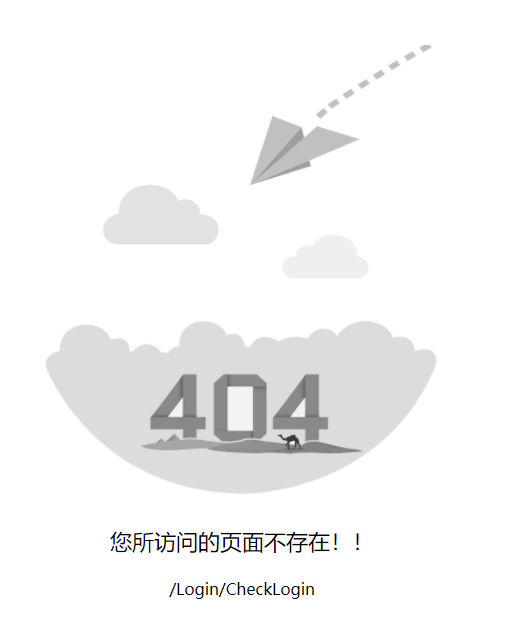
2.404 未找到页面错误
MVC的404异常处理,有几种方式,我们采用了在Global.asax全局请求函数中处理, 请查看以下代码
protected void Application_EndRequest() { if (Context.Response.StatusCode == 404) { bool isAjax = new HttpRequestWrapper(Context.Request).IsAjaxRequest(); if (isAjax) { Response.Clear(); Response.Write(Context.Request.RawUrl); } else { Response.RedirectToRoute("Default", new { controller = "Error", action = "Error404", errorUrl = Context.Request.RawUrl }); } } }前端UI效果:
3.500服务器内部错误
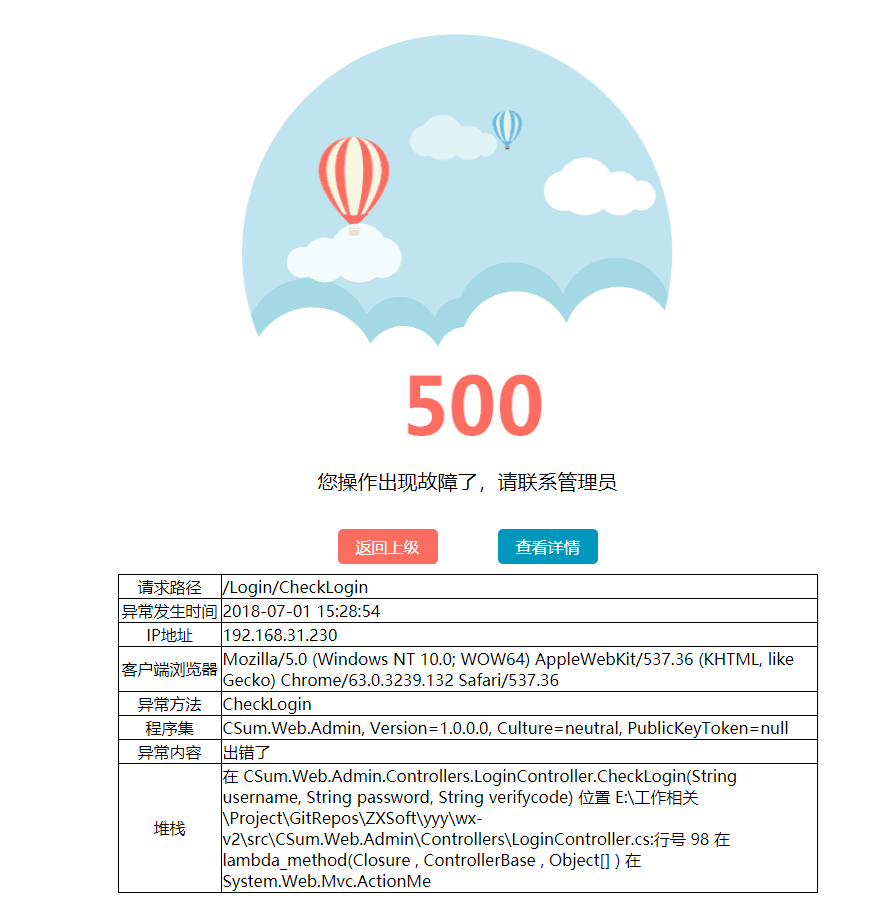
500异常错误抛出的异常信息对象定义:
////// 异常错误信息 /// [Serializable] public class ExceptionMessage { public ExceptionMessage() { } ////// 构造函数 /// 默认显示异常页面 /// /// 异常对象 public ExceptionMessage(Exception ex) :this(ex, true) { } ////// 构造函数 /// /// 异常对象 /// 是否显示异常页面 public ExceptionMessage(Exception ex, bool isShowException) { MsgType = ex.GetType().Name; Message = ex.InnerException != null ? ex.InnerException.Message : ex.Message; StackTrace = ex.StackTrace.Length > 300 ? ex.StackTrace.Substring(0, 300) : ex.StackTrace; Source = ex.Source; Time = DateTime.Now.ToString("yyyy-MM-dd HH:mm:ss"); Assembly = ex.TargetSite.Module.Assembly.FullName; Method = ex.TargetSite.Name; ShowException = isShowException; var request = HttpContext.Current.Request; IP = Net.Ip; UserAgent = request.UserAgent; Path = request.Path; HttpMethod = request.HttpMethod; } ////// 消息类型 /// public string MsgType { get; set; } ////// 消息内容 /// public string Message { get; set; } ////// 请求路径 /// public string Path { get; set; } ////// 程序集名称 /// public string Assembly { get; set; } ////// 异常参数 /// public string ActionArguments { get; set; } ////// 请求类型 /// public string HttpMethod { get; set; } ////// 异常堆栈 /// public string StackTrace { get; set; } ////// 异常源 /// public string Source { get; set; } ////// 服务器IP 端口 /// public string IP { get; set; } ////// 客户端浏览器标识 /// public string UserAgent { get; set; } ////// 是否显示异常界面 /// public bool ShowException { get; set; } ////// 异常发生时间 /// public string Time { get; set; } ////// 异常发生方法 /// public string Method { get; set; } }
抛出异常代码:
throw new Exception("出错了");前端UI效果:
4. UserFriendlyException 友好异常
异常定义代码:
////// 用户友好异常 /// public class UserFriendlyException : Exception { public UserFriendlyException(string message) : base(message) { } }
在异常拦截关键代码中,我们发现友好异常(UserFriendlyException)其实是返回了一个结果对象AjaxResult,

AjaxResult对象的定义:
////// 表示Ajax操作结果 /// public class AjaxResult { ////// 获取 Ajax操作结果类型 /// public ResultType type { get; set; } ////// 获取 Ajax操作结果编码 /// public int errorcode { get; set; } ////// 获取 消息内容 /// public string message { get; set; } ////// 获取 返回数据 /// public object resultdata { get; set; } } ////// 表示 ajax 操作结果类型的枚举 /// public enum ResultType { ////// 消息结果类型 /// info = 0, ////// 成功结果类型 /// success = 1, ////// 警告结果类型 /// warning = 2, ////// 异常结果类型 /// error = 3 }
四、Ajax请求异常时处理
在异常拦截的关键代码中,我们有看到,如果是ajax请求时,是执行不同的逻辑,这是因为ajax的请求,不能直接通过MVC的路由跳转,在请求时必须返回结果内容

然后在前端ajax的方法中,统一处理返回的错误,以下是我们项目中用到的ajax封装,对异常错误,进行了统一处理。
(function ($) { "use strict"; $.httpCode = { success: "1", fail: "3", }; // http 通信异常的时候调用此方法 $.httpErrorLog = function (msg) { console.log('=====>' + new Date().getTime() + '<====='); console.log(msg); }; // ajax请求错误处理 $.httpError = function (xhr, textStatus, errorThrown) { if (xhr.status == 401) { location.href = "/Error/Error401?errorUrl=" + xhr.responseText; } if (xhr.status == 404) { location.href = "/Error/Error404?errorUrl=" + xhr.responseText; } if (xhr.status == 500) { location.href = "/Error/Error500?data=" + xhr.responseText; } }; /* get请求方法(异步): * url地址, param参数, callback回调函数 beforeSend 请求之前回调函数, complete 请求完成之后回调函数 * 考虑到get请求一般将参数与url拼接一起传递,所以将param参数放置最后 * 返回AjaxResult结果对象 */ $.httpAsyncGet = function (url, callback, beforeSend, complete, param) { $.ajax({ url: url, data: param, type: "GET", dataType: "json", async: true, cache: false, success: function (data) { if ($.isFunction(callback)) callback(data); }, error: function (XMLHttpRequest, textStatus, errorThrown) { $.httpError(XMLHttpRequest, textStatus, errorThrown); }, beforeSend: function () { if (!!beforeSend) beforeSend(); }, complete: function () { if (!!complete) complete(); } }); }; /* get请求方法(同步): * url地址,param参数 * 返回实体数据对象 */ $.httpGet = function (url, param) { var res = {}; $.ajax({ url: url, data: param, type: "GET", dataType: "json", async: false, cache: false, success: function (data) { res = data; }, error: function (XMLHttpRequest, textStatus, errorThrown) { $.httpError(XMLHttpRequest, textStatus, errorThrown); }, }); return res; }; /* post请求方法(异步): * url地址, param参数, callback回调函数 beforeSend 请求之前回调函数, complete 请求完成之后回调函数 * 返回AjaxResult结果对象 */ $.httpAsyncPost = function (url, param, callback, beforeSend, complete) { $.ajax({ url: url, data: param, type: "POST", dataType: "json", async: true, cache: false, success: function (data) { if ($.isFunction(callback)) callback(data); }, error: function (XMLHttpRequest, textSta
相关内容
- CSRF在ASP.NET Core中的处理方法详解_实用技巧_
- 详解.Net单元测试方法_实用技巧_
- asp.net core下给网站做安全设置的方法详解_实用技巧_
- JWT + ASP.NET MVC时间戳防止重放攻击详解_实用技巧_
- AutoCAD .Net禁止图元被删除的方法_实用技巧_
- ASP.NET MVC中设置跨域访问问题_实用技巧_
- .NET中JSON的序列化和反序列化的几种方式_实用技巧_
- 详解CentOS 7.4下如何部署Asp.Net Core结合consul_实用技巧_
- .net core 读取本地指定目录下的文件的实例代码_实用技巧_
- .NET Core中使用HttpClient的正确姿势_实用技巧_
点击排行
本栏推荐